
Reaction Solver
Guide
Mechanisms
How to Use the ChemGenius Reaction Solver
Step-by-step guide to sketching a reaction, running the solver, and reading predictions.
January 13, 2026
Workflow Guide
Predict products with the Reaction Solver
Sketch or paste your reaction, add reagents and conditions, and let ChemGenius propose products with confidence and mechanism hints. Built for quick experiments.
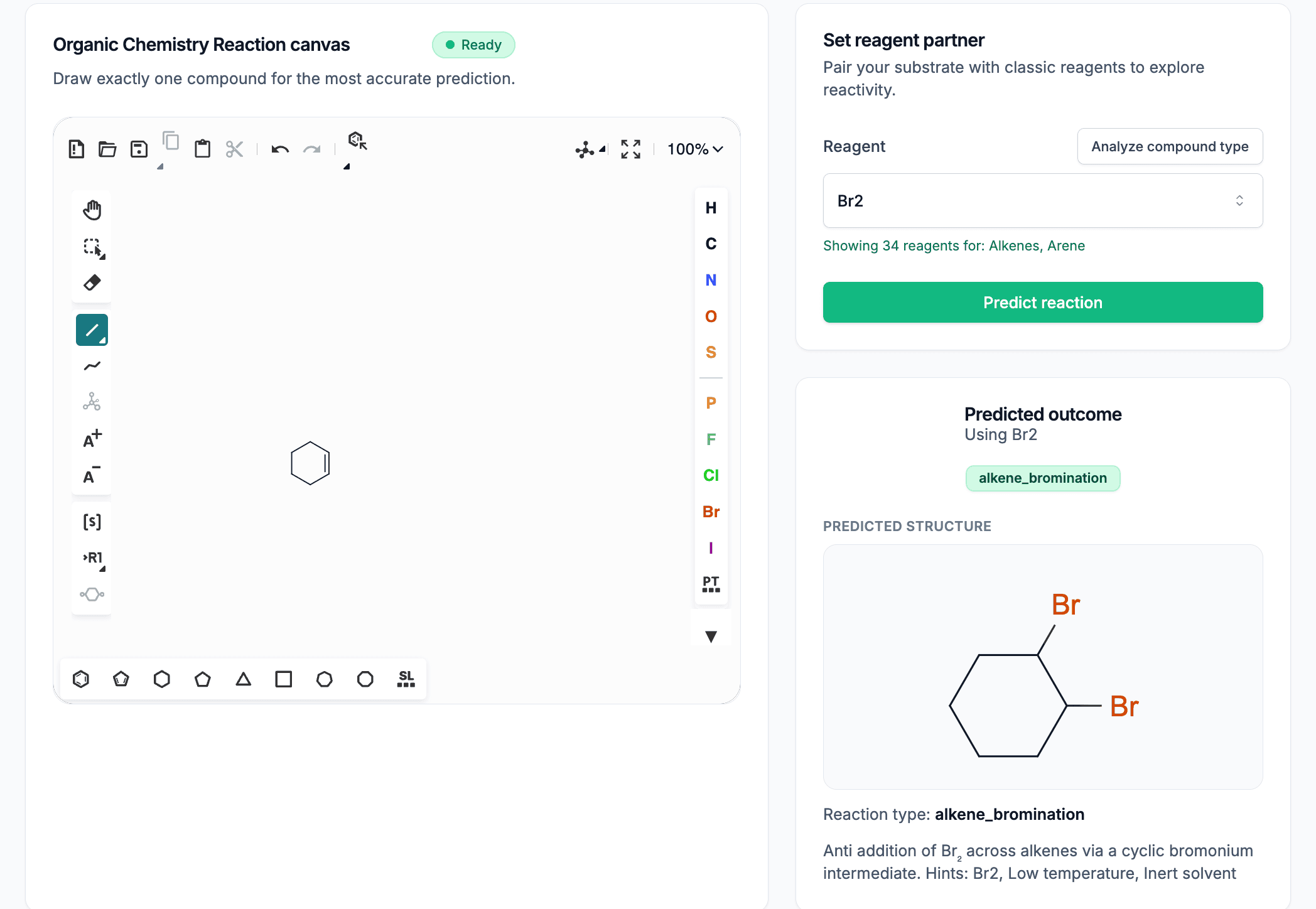
Draw or paste reactants, add reagents, and get predicted products plus mechanism hints.
Step 1
Sketch or paste
Draw reactants and reagents or paste SMILES.
Step 2
Predict
Click Predict to get products and confidence.
Step 3
Review and iterate
Compare reagents and conditions to tune selectivity.
info
Reaction Solver lives at /reaction-solver. Paste SMILES, draw a structure, or load an example to start.
1) Sketch or paste your reaction
- Use the canvas to draw reactants and reagents.
- Or paste SMILES directly; the sketch updates to match.
- Include reagents or conditions (for example, HBr + peroxide) for better predictions.
[O:1]=[C:2]O.[BrH]
→[O:1]=[C:2][Br]
Preview
Quick visual placeholder for the reaction sketch. The full editor lives in the Reaction Solver.
2) Submit to the solver
Click Predict to send the reaction. You will get likely products with confidence; when available, mechanism overlays appear too.
tip
Ambiguous conditions? Add a quick note (for example, heat or polar aprotic) to guide the model.
3) Read the output
- Predicted products with confidence.
- Mechanism hints: steps or curved-arrow overlays (when supported).
- Warnings: low confidence or competing pathways.
4) Iterate and compare
- Try alternative reagents to see selectivity changes (for example, HBr vs HBr/peroxide).
- Save or export structures you like for your notes.
Quick FAQ
- Input format? Sketch or SMILES; put reagents or conditions in text.
- Unsupported reagents? Describe plainly; the model may still generalize.
- Need per-step mechanisms? Use the mechanism predictor for explicit arrows.